
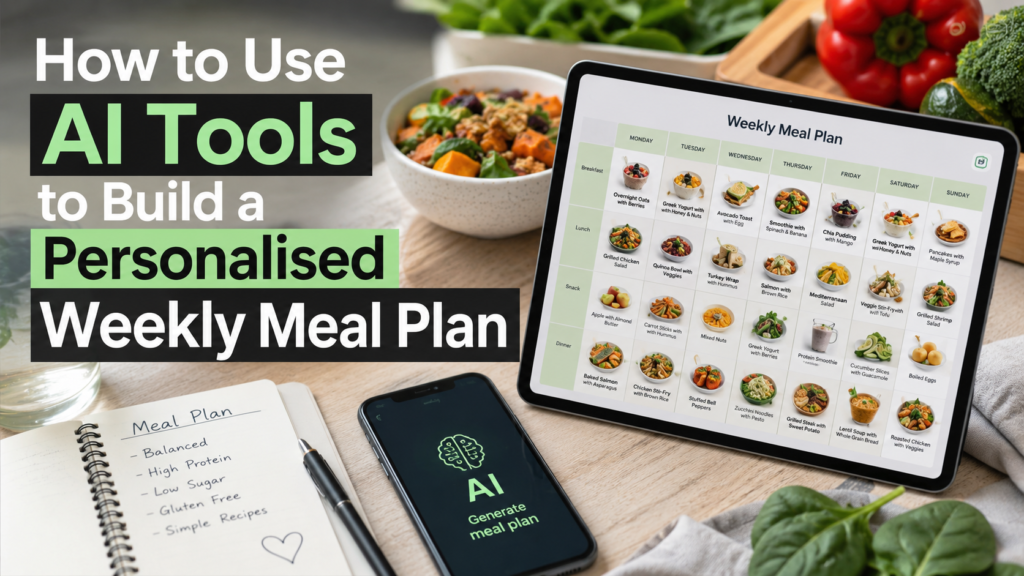
Deciding what to eat every single week is exhausting. Between busy schedules, picky eaters, rising grocery prices, and the pressure to eat healthy, most Americans give up and reach for takeout by Wednesday. AI meal planning tools change that.
They can generate a full week of meals, a matching grocery list, and recipe ideas in under a minute, all tailored to your needs. This guide walks you through exactly how to use them, what to watch out for, and how to get results that actually work for your life.
Table of Contents
ToggleWhy AI Meal Planning Is Worth Your Attention
The average American spends about 37 minutes a day deciding what to eat, preparing food, and dealing with last-minute grocery runs. That adds up to over four hours a week. Meal planning has always been the fix, but sitting down to plan seven days of meals from scratch feels like a second job.
AI tools do the heavy lifting. They can factor in your dietary preferences, your budget, how many people you are feeding, and how much time you have to cook on a given night. The result is a structured weekly plan with variety, not just chicken and rice on repeat.
And because you can refine the output with follow-up questions, you are in control the whole time. AI does not replace your judgment. It just does the boring part faster.
What AI Can and Cannot Do for Your Meal Plan
Before you start, it helps to know where AI tools shine and where they have real limits.
AI is excellent at generating diverse meal ideas quickly, scaling recipes up or down for different household sizes, accommodating dietary restrictions like gluten-free or dairy-free, suggesting ingredient substitutions, and building a grocery list from your plan.
Where AI falls short is worth knowing, too. It does not know what is already in your fridge unless you tell it. Its calorie and nutrient counts can be off by a meaningful margin — one review of AI-generated nutrition data found errors ranging from 5 to 20 percent depending on the meal and tool used.
It also cannot diagnose or treat any health condition, and it is not a replacement for a registered dietitian if you have diabetes, heart disease, kidney disease, or another condition that requires medical nutrition therapy.
Use AI meal plans as a smart, flexible starting point. If you have a health condition that affects what you eat, run your AI-generated plan by a nutrition professional before you commit to it.
The Best Free AI Tools for Meal Planning Right Now
You do not need to pay for a premium subscription to get a solid meal plan. Here are the top options available to you today.
| Tool | Cost | Best For | Generates Grocery List |
|---|---|---|---|
| ChatGPT | Free / Plus | Custom prompts, flexible output | Yes, if you ask |
| Claude | Free | Detailed, well-structured plans | Yes, if you ask |
| Microsoft Copilot | Free | Quick plans inside Edge browser | Yes |
| ai-mealplan.com | Free | Beginners who want a fast result | Yes, automatic |
| Strongr Fastr | Free tier | Fitness and macro-focused planning | Yes, automatic |
For most people starting out, ChatGPT or Claude work best because they let you have a real back-and-forth conversation to fine-tune your plan. Dedicated tools like ai-mealplan.com are faster but give you less control over the details.
Step One — Gather Your Information Before You Prompt
The quality of your meal plan depends almost entirely on the quality of information you give the AI. Garbage in, garbage out. Before you open any tool, take two minutes to decide the following five things.
Your dietary preferences or restrictions. This includes food allergies, intolerances, lifestyle choices like vegetarian or vegan, and any foods you simply dislike. Be specific. Saying you are lactose intolerant is more useful to the AI than saying you avoid dairy sometimes.
The number of people you are feeding. A plan for one person looks very different from a plan for a family of five. Include ages if you have young children, since portion sizes and food textures matter.
Your weekly grocery budget. This is one of the most important inputs and one most people skip. Giving the AI a hard number — for example, keep this plan under 100 dollars for the week — dramatically improves how practical the output is.
How many nights you plan to cook versus use leftovers. If you only want to cook four nights and use leftovers the other three, say that. It changes the entire structure of your plan.
Your cooking skill level and available appliances. If you have an Instant Pot or air fryer, mention it. If you are a beginner, say you need simple recipes with under 30 minutes of active cooking time.
Write these answers down before you start prompting. Think of it as a personal brief you hand to a personal chef.
Step Two — How to Write an AI Prompt That Gets Real Results
Most people type something like “make me a healthy meal plan” and then wonder why the output is generic and unusable. The problem is not the AI. It is the prompt.
A strong meal planning prompt includes your dietary needs, household size, budget, time constraints, and a specific request for a grocery list. Here is the difference in practice.
Weak prompt: Give me a healthy weekly meal plan.
Strong prompt:
Create a 7-day meal plan for two adults eating a Mediterranean-style diet. Our weekly grocery budget is 90 dollars. Each dinner should take no more than 30 minutes to cook. We have a standard oven and stovetop. Include breakfast, lunch, and dinner for each day, use leftovers efficiently to reduce waste, and finish with a complete grocery list organized by store section.
See how much more useful that second version is? Every detail you add steers the AI away from generic and toward practical. The budget constraint keeps suggestions realistic. The time limit filters out complicated recipes. Asking for the grocery list organized by section saves you time at the store.
One extra tip: if you follow a specific diet for health reasons, such as a low-sodium diet for high blood pressure or a low-glycemic diet for blood sugar management, include that explicitly and ask the AI to explain why each day meets those goals. This gives you something concrete to verify later.
Step Three — Refine Your Plan With Follow-Up Prompts
Your first output is a draft, not a finished product. The real power of AI meal planning comes from the conversation that follows. Most competing guides treat the first response as the final answer. It should not be.
Once you have your draft plan, use follow-up prompts to make it yours. Here are three you can copy and adapt.
Swap a meal you dislike:
I do not enjoy salmon. Replace the salmon dishes with a different high-protein option that fits the same budget and prep time.
Adjust for budget:
This plan looks great but feels expensive. Suggest three ingredient swaps that would bring the total cost down by about 20 dollars without losing much nutritional value.
Finalize the grocery list:
Now take the full 7-day plan and generate a single consolidated grocery list. Organize it by section — produce, proteins, dairy, grains, canned goods, and pantry staples. Include estimated quantities for two people.
Each of these follow-up prompts takes about 30 seconds to type and meaningfully improves your result. Think of the first response as a rough draft and these conversations as your editing pass.
How to Personalise Further for Specific Goals or Households
AI meal planning gets even more useful when you tailor it to your specific situation. Here are three common scenarios and how to handle each one.
Families with mixed dietary needs. If one family member is vegetarian and another is not, ask the AI to build a plan where the base of each meal is vegetarian and protein can be added separately for those who eat meat. This reduces how many separate meals you are cooking.
Health and fitness goals. If your goal is weight loss, ask the AI to keep daily calories around a specific target and prioritize high-volume, low-calorie foods like vegetables, legumes, and lean proteins. If you are trying to build muscle, ask for a high-protein plan and request the approximate grams of protein per day. Always verify these numbers using a separate nutrition tool before relying on them.
Tight budget planning. Ask the AI to build your plan around the most affordable proteins in your area — typically eggs, canned beans, canned tuna, chicken thighs, and lentils. Request that it minimize the number of specialty ingredients and stick to items found at any standard grocery store.
For any health condition including diabetes, high blood pressure, high cholesterol, or kidney disease, use the AI output as a conversation starter with your doctor or dietitian, not as a standalone prescription.
How to Verify and Trust Your AI Meal Plan
AI tools are not nutrition databases. Their calorie and macro estimates are approximations based on training data, and they can drift from accurate values, especially for mixed dishes, homemade recipes, or meals with variable portion sizes.
Before you commit to a plan for health reasons, run a few days through a free tool like Cronometer or MyFitnessPal. Enter the meals manually and compare the numbers to what the AI reported. If they are reasonably close — within 10 percent — you are in good shape. If there are big gaps, adjust the plan accordingly.
Treat your AI meal plan the way you would treat a recipe from a cooking blog. It is a reliable, useful guide that still benefits from your own common sense and, when health is on the line, professional input.
Putting It All Together — Your Weekly AI Meal Planning Routine
Once you have done this a few times, the whole process takes about ten minutes on a Sunday. Here is the repeatable routine.
First, spend two minutes gathering your personal brief: dietary needs, household size, budget, cooking nights, and appliance notes. Second, open your chosen AI tool and send your detailed prompt. Third, spend five minutes refining the output with follow-up prompts to swap meals, adjust costs, or modify macros.
Fourth, do a quick sanity check on the calorie totals if nutrition accuracy matters to you. Fifth, generate your final grocery list and either print it or paste it into your phone’s notes app.
That is it. Ten minutes on Sunday, and the most stressful question of the week, “what are we having for dinner,” is already answered. Start with one tool from the comparison table above, use the prompt template from Step Two, and adjust from there. The more specific you are each week, the better your results get over time.
This article is for informational purposes only and does not constitute medical or nutritional advice. Consult a registered dietitian or healthcare provider before making dietary changes related to a medical condition.
